01
Choose a product direction
Decide whether you need a studio shot, lifestyle scene, listing image, or campaign concept.
Use prompts or references on OpenVideoMaker's existing image model pages to explore product shots, lifestyle scenes, and concept visuals, then continue into video workflows when the campaign needs motion.
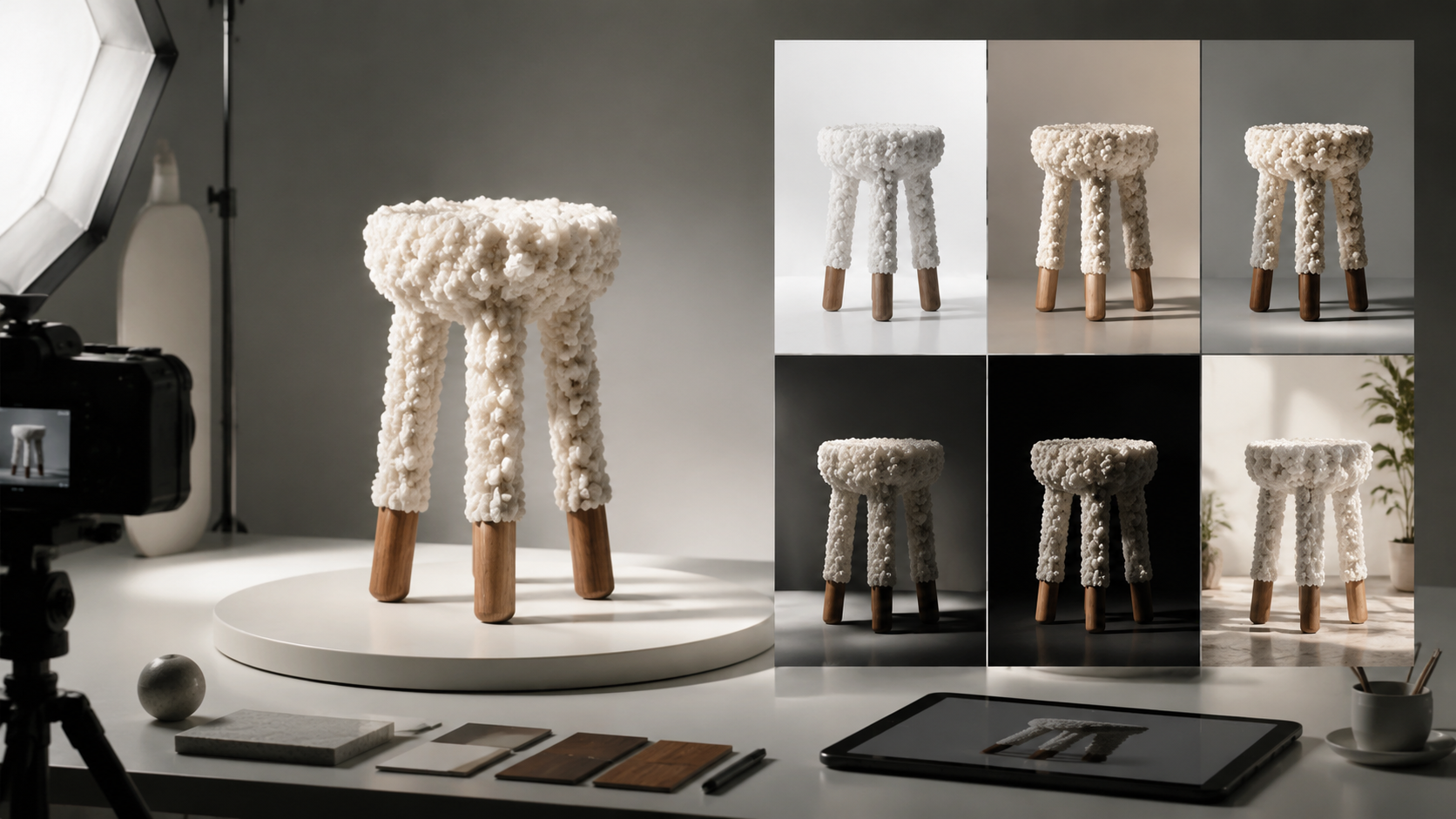
Decide whether you need a studio shot, lifestyle scene, listing image, or campaign concept.
Specify product type, background, material, lighting, angle, and brand-safe mood.
Save strong image outputs, then reuse them as references for video and motion prompts.
A luxury moisturizer jar on white stone, soft shadows, clean studio lighting, premium skincare campaign.
A wireless charger on a modern desk, minimal props, crisp reflection, ecommerce product photography.
A stainless bottle beside mountain gear, sunrise light, realistic lifestyle product photo.
OpenVideoMaker supports product-style image workflows through its existing image model pages, helping you explore studio shots, lifestyle scenes, listing images, and campaign concepts from prompts or references.
Use a clear reference and describe stable traits such as shape, color, material, label placement, camera angle, and lighting. Compare variations before choosing an image for a campaign or video workflow.
A strong still image can become a useful reference frame for image-to-video workflows, especially when the product, composition, lighting, and background already match the creative direction.