01
Identify the visual anchor
Start with the subject, background, and details that should remain stable from the source image.
Use this structured guide to turn vague motion ideas into prompts that explain subject consistency, camera movement, pacing, and visual style for AI video model pages.
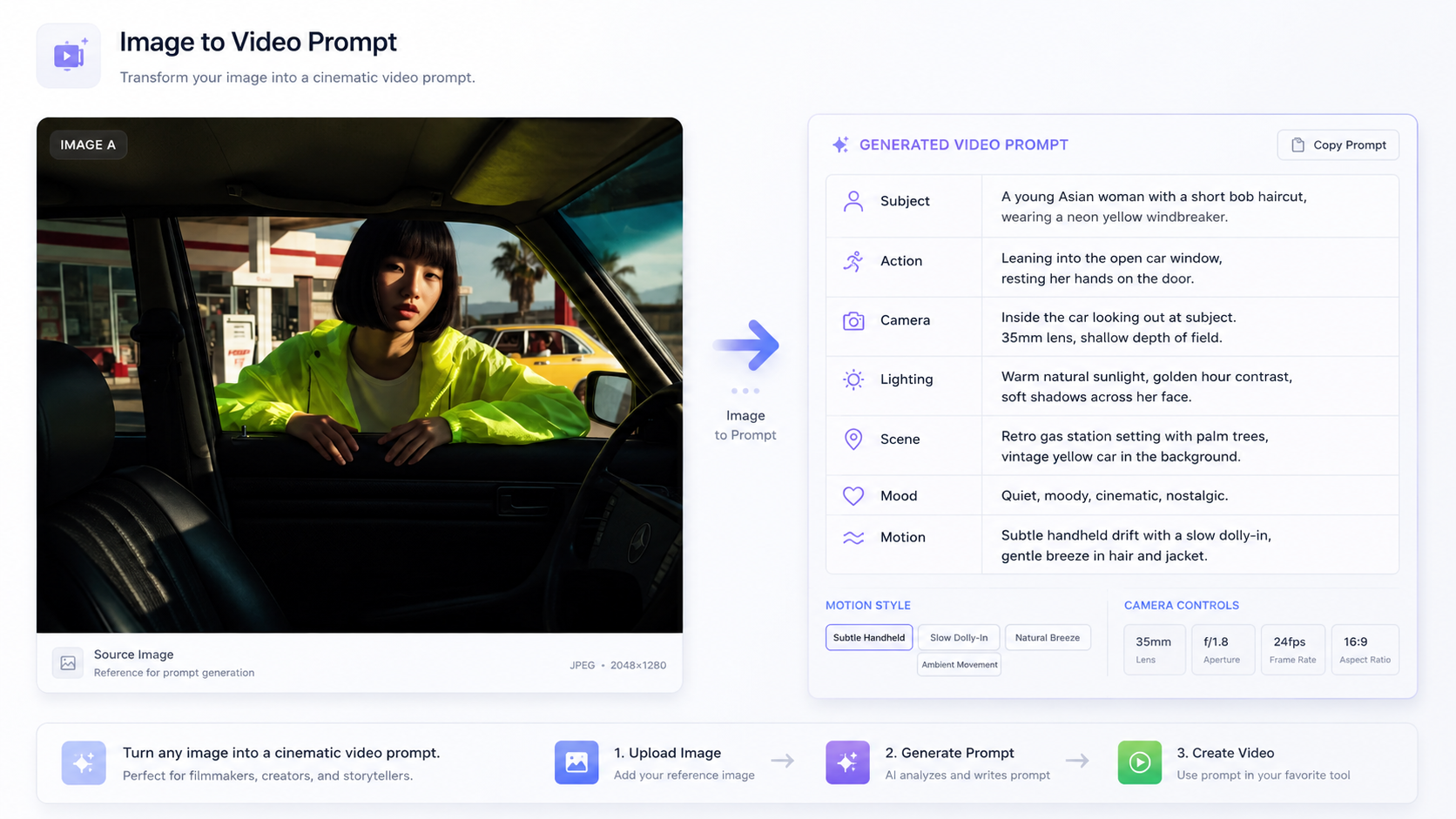
Start with the subject, background, and details that should remain stable from the source image.
Add camera motion, subject action, scene atmosphere, speed, and output style.
Generate a version, keep the useful motion language, and remove details that confuse the model.
Source image remains consistent. Camera slowly orbits the product, soft reflections, premium studio lighting.
The person keeps the same identity, turns slightly toward camera, subtle smile, cinematic soft light.
Static landscape becomes a moving shot with drifting clouds, slow dolly forward, natural atmospheric depth.
It helps you organize an image-to-video prompt by separating subject consistency, camera motion, scene action, pacing, and style for OpenVideoMaker video workflows.
A clear structure reduces ambiguity and makes each test easier to compare. You can keep the motion instructions that work well and refine the details that need another pass.
Use it on the relevant AI video model page, review the output, and then refine the prompt for the model, source image, and settings you are using.