OpenVideoMaker

Imagen 4 AI Image Generator

Use Imagen 4 when you need clean text-to-image output with strong prompt following, polished lighting, and production-ready aspect ratios.

0 / 1000
Model overview

Imagen 4 for text-to-image production

Strong photoreal texture for commercial-quality images. Imagen 4 works well for product stills, editorial scenes, and polished campaign visuals.

Text-only image generation
Imagen 4 / Ultra / Fast
1K and 2K output
Featured model

Imagen 4

Model
Imagen 4
Ratio
1:1 / 16:9 / 9:16 / 4:3
Resolution
1K / 2K

How to use Imagen

  1. 01Write a text-only prompt with subject, composition, environment, lighting, style, details, and intended usage.
  2. 02Choose Imagen 4, Imagen 4 Ultra, or Imagen 4 Fast based on quality and iteration speed.
  3. 03Select aspect ratio, resolution, and image count, then review the credit estimate.
  4. 04Generate, compare variations, and tighten the prompt around the strongest composition.

Imagen prompt template

Structure image prompts around subject, composition, environment, lighting, style, details, and creative intent.

Prompt template
Subject: main object, person, scene, or product
Composition: camera angle, crop, focal length, framing, negative space
Environment: location, background, props, season, surface, context
Lighting: time of day, studio setup, contrast, reflections, shadows
Style: photoreal, editorial, concept art, product render, mood
Details: materials, color palette, texture, realism, no text or logos
Intent: campaign goal, audience, emotional direction, brand context
01

Premium product hero

Describe what you want to generate

A black cylindrical smart speaker on a metallic display stand in a dark studio. Warm orange film lights are softly blurred on both sides as background sources. Low-angle front close-up, product centered, clear black woven texture, reflective metal base. Realistic commercial product photography with a premium tech mood, dark cinematic light, and a clean frame.
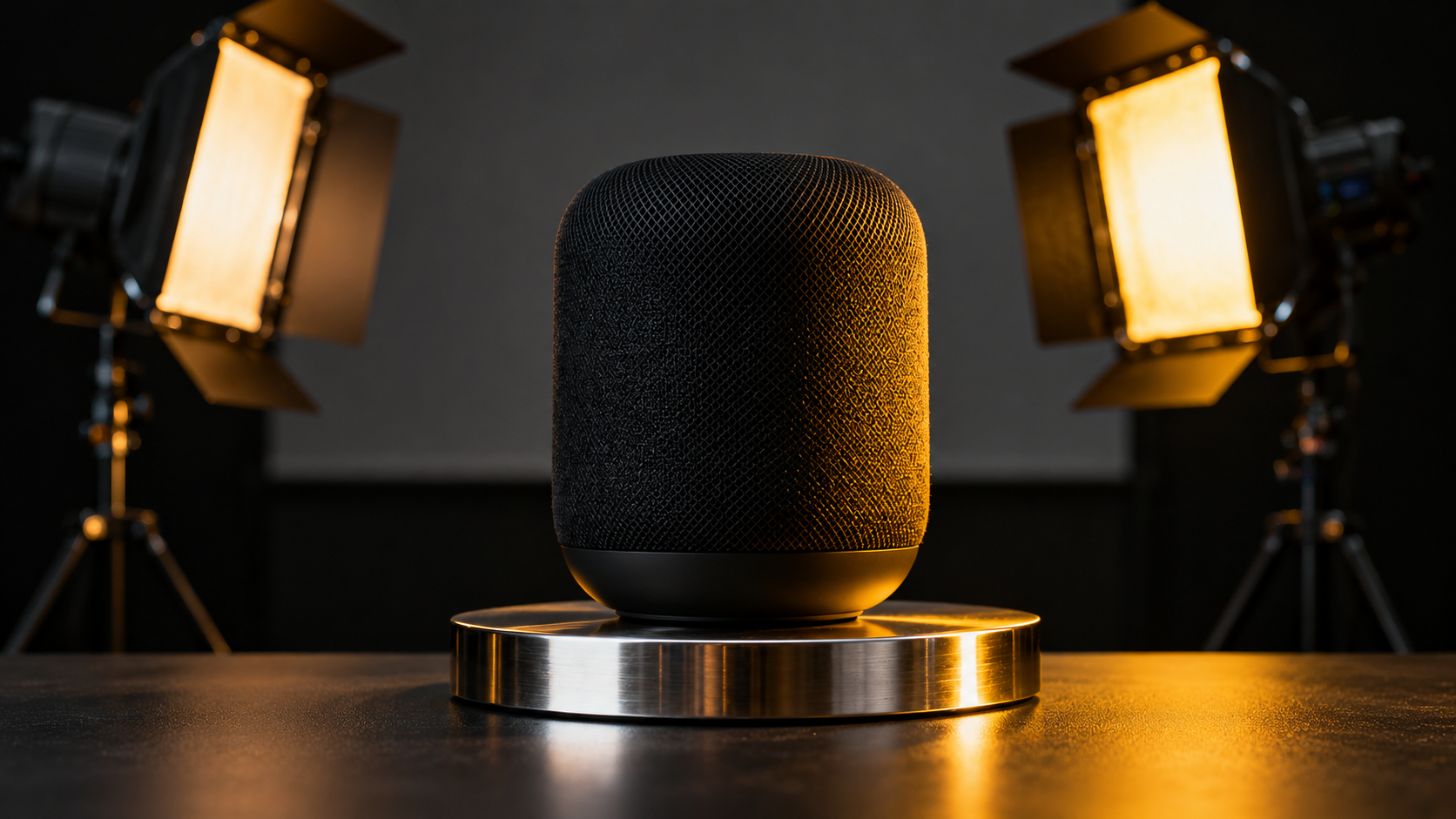
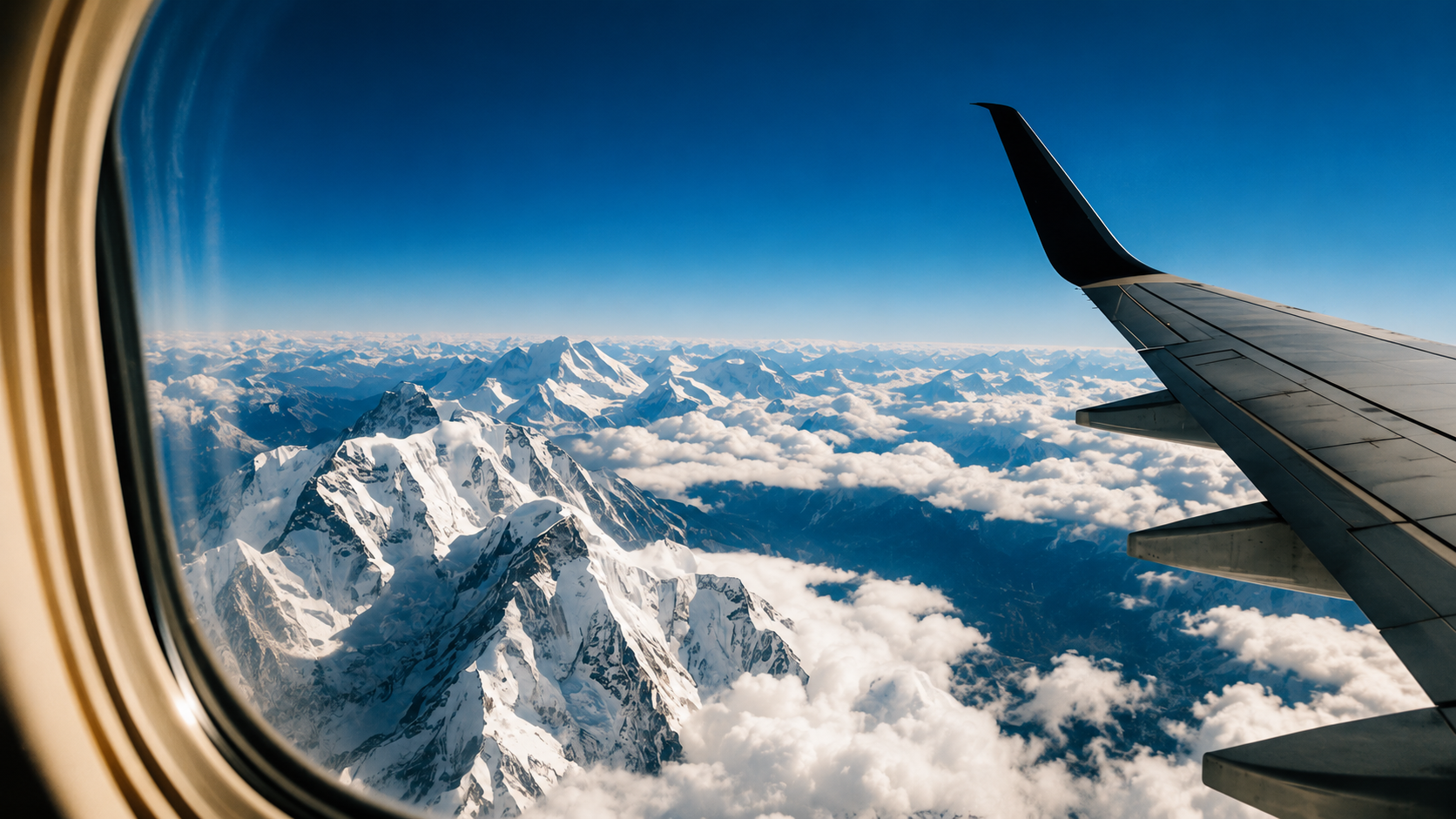
Imagen 4 product hero placeholder
02

Editorial travel scene

Describe what you want to generate

Snowy mountain view from an airplane window. Keep the window frame on the left and the wing on the right, with distant mountain ranges, clouds, and blue sky. Daylight, clear air, sharp snow texture, soft clouds, and a wide, dramatic frame. Realistic travel photography expressing freedom, exploration, and grandeur.

Imagen 4 editorial placeholder

Best Imagen settings

Use quality variants for final output and Fast for early prompt exploration. Imagen pricing is based on image count.

Imagen 4 Fast

Prompt exploration

Use Imagen 4 Fast when you need quick subject and composition tests.

Ratio
1:1 / 16:9
Resolution
1K
Imagen 4

Balanced production

Use Imagen 4 for polished visuals when speed and quality both matter.

Ratio
16:9 / 9:16
Resolution
1K / 2K
Imagen 4 Ultra

Final hero candidates

Use Imagen 4 Ultra for final art-directed hero images and premium campaign visuals.

Ratio
16:9
Resolution
2K

Related tools

This tool uses third-party model capabilities and is not affiliated with or endorsed by the original model providers unless explicitly stated.

Frequently asked questions

When should I choose Imagen instead of GPT Image or Nano Banana?+

Choose Imagen when you want clean text-to-image output for product, editorial, or campaign stills and you do not need reference-image editing.

Which Imagen variant should I start with?+

Start with Imagen 4 Fast for early exploration, switch to Imagen 4 for balanced production work, and use Imagen 4 Ultra when you are narrowing down final hero candidates.

What makes an Imagen prompt work better?+

Keep the prompt focused on one subject, one clear composition, a defined environment, and a lighting direction. Imagen responds better to structured visual instructions than to stacked keywords.

Is Imagen a good fit for commercial image work?+

Yes. It is a strong fit for product launches, editorial stills, campaign mockups, and polished lifestyle visuals, especially when realism and material quality matter.