01
Name the product clearly
Give the model a concrete product, material, color, and fixed visual traits.
Use product video prompt patterns that describe the product, scene, lighting, motion, and commercial goal without overloading the model with vague adjectives.
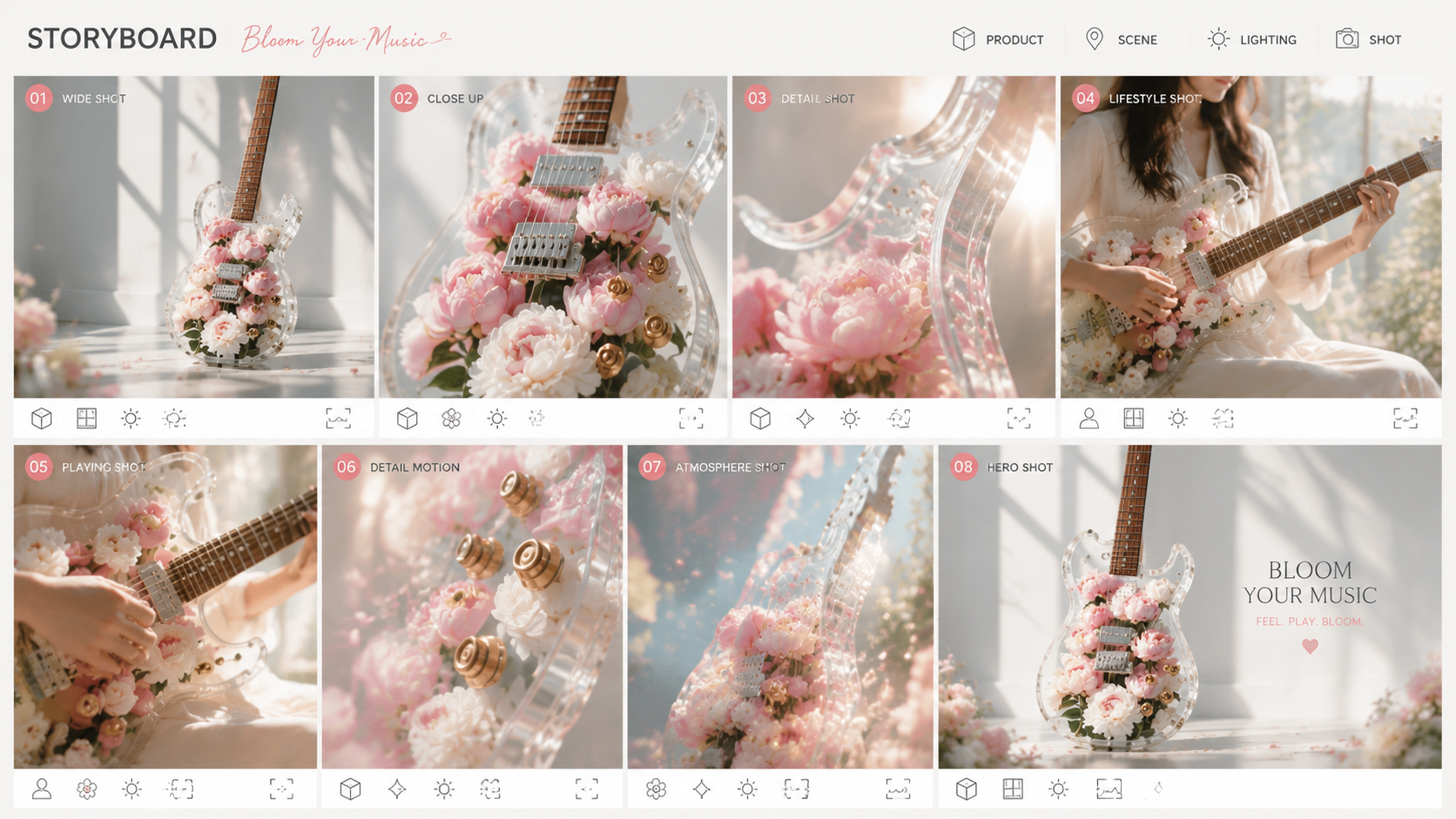
Give the model a concrete product, material, color, and fixed visual traits.
Describe the environment, lighting, camera movement, and emotional tone.
Adjust format and pacing for ads, listings, short-form social, or launch content.
A glass serum bottle on a marble surface, slow macro camera push, water droplets, luxury skincare commercial.
A portable blender on a bright kitchen counter, smooth 360 product turn, clean ecommerce lighting.
A new sneaker lands on a lit pedestal, quick camera orbit, energetic shadows, bold launch video.
Name the product and its stable traits, then describe the setting, lighting, camera motion, pacing, format, and commercial goal for the shot.
They help you explore concepts, variations, and campaign assets before final production. Review the selected output against the real product and the materials you are authorized to use.
Start with the scene, reference input, and available settings. Try one supported video model first, compare variations, and then refine the prompt for the model that fits your product story.
Use product video prompt patterns that describe the product, scene, lighting, motion, and commercial goal without overloading the model with vague adjectives.
Give the model a concrete product, material, color, and fixed visual traits.
Describe the environment, lighting, camera movement, and emotional tone.
Adjust format and pacing for ads, listings, short-form social, or launch content.
A glass serum bottle on a marble surface, slow macro camera push, water droplets, luxury skincare commercial.
A portable blender on a bright kitchen counter, smooth 360 product turn, clean ecommerce lighting.
A new sneaker lands on a lit pedestal, quick camera orbit, energetic shadows, bold launch video.
Name the product and its stable traits, then describe the setting, lighting, camera motion, pacing, format, and commercial goal for the shot.
They help you explore concepts, variations, and campaign assets before final production. Review the selected output against the real product and the materials you are authorized to use.
Start with the scene, reference input, and available settings. Try one supported video model first, compare variations, and then refine the prompt for the model that fits your product story.