01
Anchor the subject
Name the subject from the image and state which details should stay consistent.
Use these prompt structures to explain what should move, how the camera behaves, and what visual style the AI video should preserve from the source image.
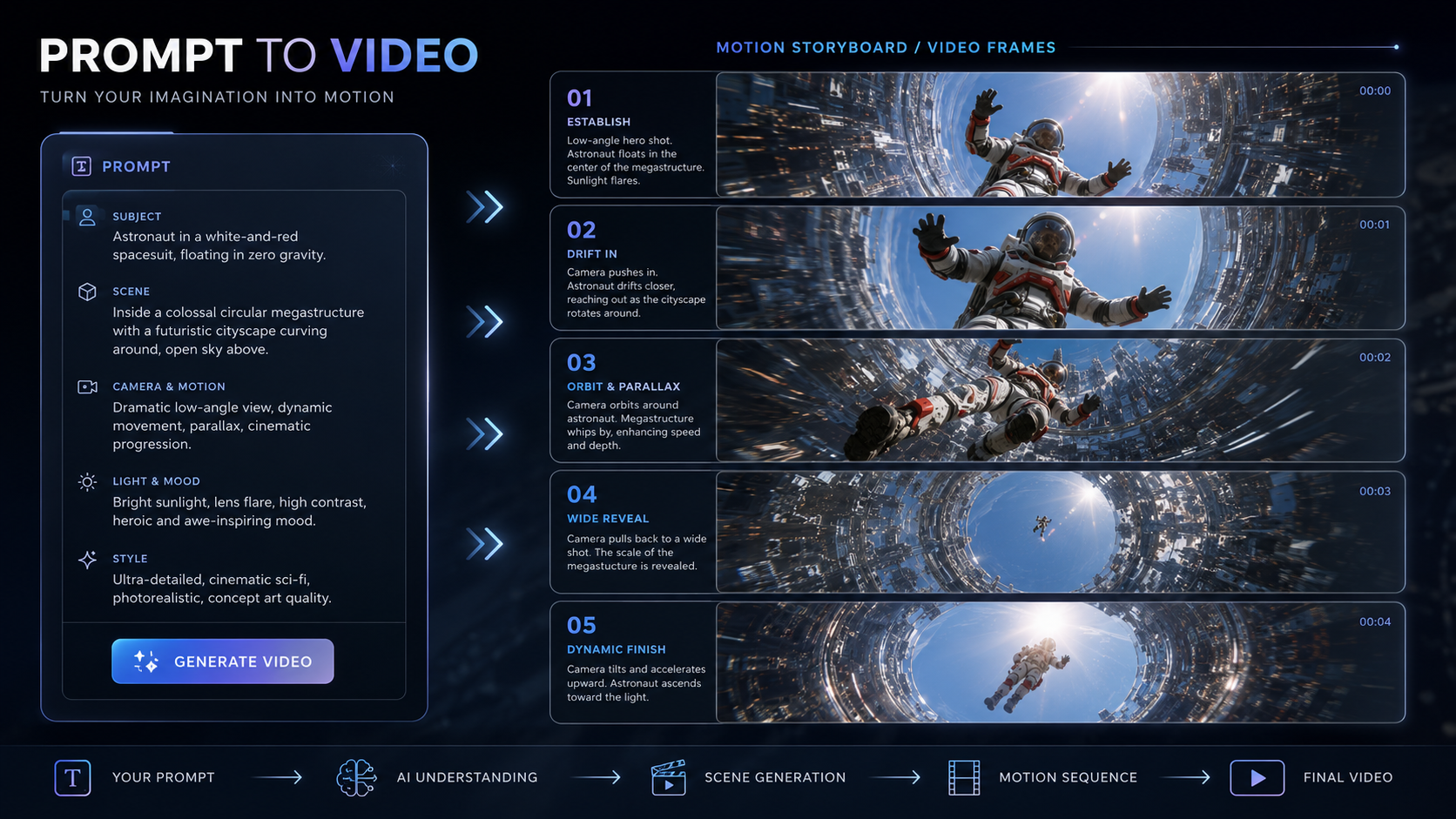
Name the subject from the image and state which details should stay consistent.
Describe subject movement, camera movement, scene changes, and pacing.
Include lighting, mood, format, and any commercial or cinematic direction.
Keep the subject consistent. Slow camera push in, subtle background parallax, natural light, realistic movement.
The product stays sharp while the camera orbits 180 degrees, studio lighting, premium commercial look.
The portrait comes alive with a small head turn, blinking eyes, soft wind, cinematic shallow depth of field.
Name the subject from the source image, describe one main motion, add camera behavior, pacing, style, and the details that must remain visually stable.
Focus on one main motion idea, then add camera movement and style. This keeps the prompt easier to test while still giving the video model a clear motion brief.
Use the prompt as a reusable starting point, then adjust wording after comparing outputs. Different models may emphasize references, motion, or pacing in different ways.
Learn how to use the Sora 2 AI video generator for narrative scenes, reference images, cinematic prompts, and short clips in OpenVideoMaker.
Learn how to use the Google Veo 3.1 AI video generator for cinematic prompts, reference images, camera moves, audio cues, and high-resolution clips.
Learn how to write AI camera movement prompts for dolly, pan, orbit, crane, handheld, POV, and drone shots with examples for video models.
Use these prompt structures to explain what should move, how the camera behaves, and what visual style the AI video should preserve from the source image.
Name the subject from the image and state which details should stay consistent.
Describe subject movement, camera movement, scene changes, and pacing.
Include lighting, mood, format, and any commercial or cinematic direction.
Keep the subject consistent. Slow camera push in, subtle background parallax, natural light, realistic movement.
The product stays sharp while the camera orbits 180 degrees, studio lighting, premium commercial look.
The portrait comes alive with a small head turn, blinking eyes, soft wind, cinematic shallow depth of field.
Name the subject from the source image, describe one main motion, add camera behavior, pacing, style, and the details that must remain visually stable.
Focus on one main motion idea, then add camera movement and style. This keeps the prompt easier to test while still giving the video model a clear motion brief.
Use the prompt as a reusable starting point, then adjust wording after comparing outputs. Different models may emphasize references, motion, or pacing in different ways.
Learn how to use the Sora 2 AI video generator for narrative scenes, reference images, cinematic prompts, and short clips in OpenVideoMaker.
Learn how to use the Google Veo 3.1 AI video generator for cinematic prompts, reference images, camera moves, audio cues, and high-resolution clips.
Learn how to write AI camera movement prompts for dolly, pan, orbit, crane, handheld, POV, and drone shots with examples for video models.