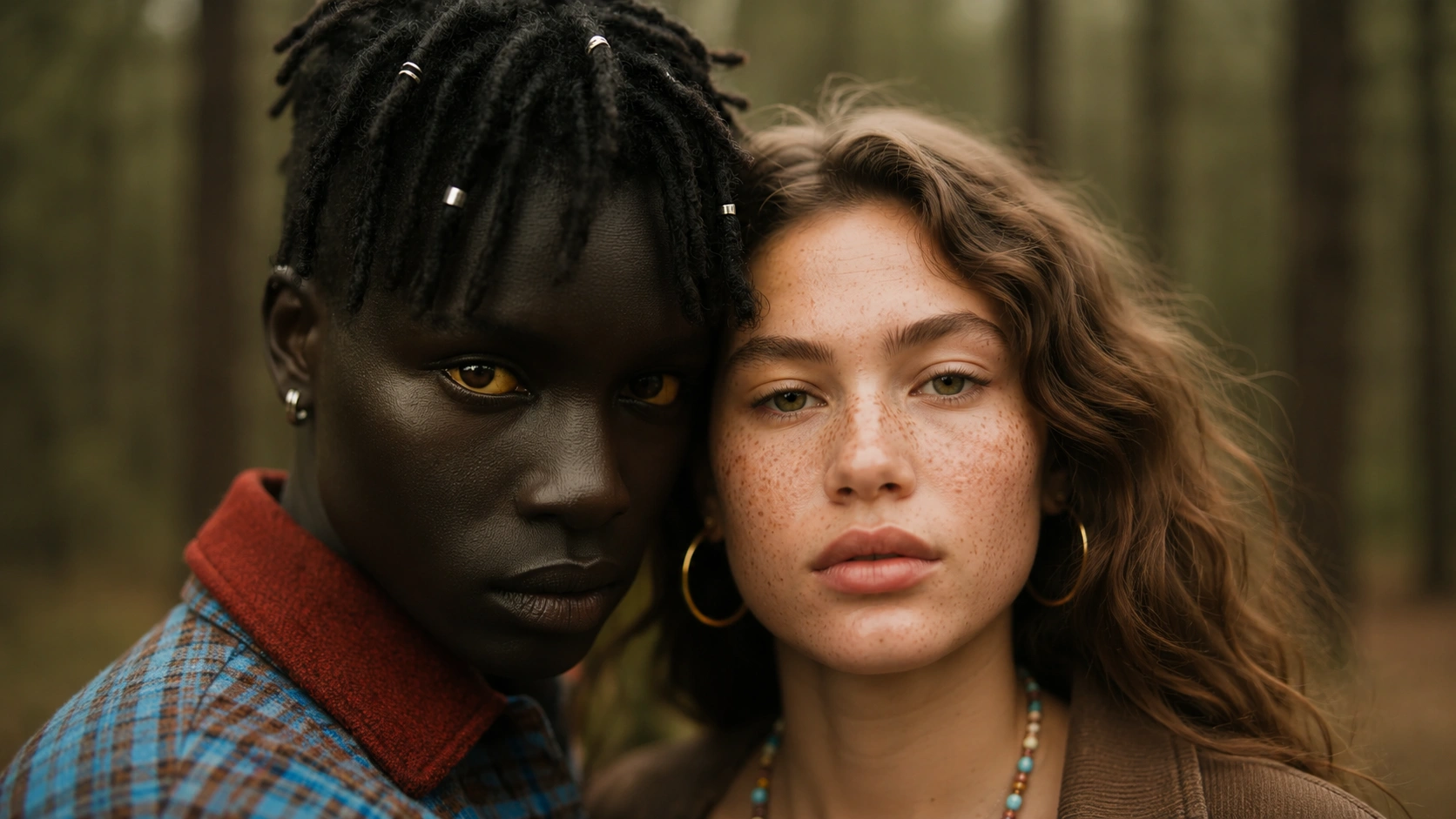
Imagen 4 is the latest image model in the Imagen family, now available in OpenVideoMaker. It produces photoreal textures, commercial-grade still quality, and polished product imagery. If your team has been using Imagen 3 or GPT Image for product shots and editorial visuals, Imagen 4 offers a noticeable step up in material rendering: skin, fabric, metal, and glass surfaces look more convincing, and the model handles complex lighting setups with fewer artifacts.
In a multi-model workspace like OpenVideoMaker, the real question is not whether a model is new but whether it fits the specific job. Imagen 4 is built for high-fidelity still images where photorealism and commercial polish matter. It is the right choice when you need a product listing hero, an editorial food shot, a campaign visual, or a reference frame that will later feed into a video model. When the project needs more stylized or illustrative output, models like Seedream or GPT Image may be better suited. The workflow below is designed to help you decide when to use Imagen 4, how to brief it, and how to move the output into the next production step.
The fast answer
Before opening the generator, answer three things: what input do you already have, what output needs to ship, and how many iterations can the timeline afford? Imagen 4 works best when the task has a clear subject, a single visual goal, and a repeatable review standard. It struggles when the brief tries to pack unrelated transformations into one pass or when the team has not agreed on how the result will be used.
A good first generation does one job. Test whether a product renders with correct material texture. Test whether an editorial scene has the right mood. Test whether a campaign visual has enough breathing room for text overlay. After the first pass confirms direction, the second pass can refine polish, detail, or composition. This staged approach prevents prompt drift and keeps the creative process manageable.
OpenVideoMaker connects related work so you can move from image planning to video generation, from prompt examples to model pages, and from public examples to your own assets. Start with Imagen 4 for the most direct path. Use AI Product Image Generator when the brief needs the next adjacent step. Related model pages include Imagen, GPT Image, Seedream.
What to have ready before you generate
The quality of an AI output depends heavily on the quality of the brief. Before opening the generator, write down the intended asset, the audience, the channel, and the reason the asset needs to exist. A product listing image, a paid social video, a cinematic mood test, and a talking avatar intro all need different instructions. If you skip this planning step, the model may still produce something interesting, but it will be harder to decide whether the result is actually useful.
For Imagen 4, the most useful inputs are subject, composition, environment, lighting, style, texture, and publishing use case. Treat each input as a control surface. The prompt controls language and intent. The reference image controls subject and composition. The output ratio controls where the asset can be published. The model choice controls the tradeoff between speed, polish, reference handling, and motion behavior. The review checklist controls whether the team keeps the result or regenerates.
Do not start with a giant prompt. Start with a compact brief that names the subject, setting, desired change, camera or image style, and output purpose. Then expand only when the output shows a specific weakness. If the product is drifting, add product-specific traits. If the scene is too static, add motion language. If the image looks generic, add material, lighting, and use-case detail. If the video is visually busy, remove secondary actions and keep one main motion idea.
Imagen 4 inside the OpenVideoMaker workflow
OpenVideoMaker is strongest when you use it as a connected workflow instead of a one-off generator. A typical workflow starts with a content goal, moves into image or video creation, then loops through prompt refinement and asset review. Imagen 4 fits at the image stage: it produces high-fidelity stills that can become campaign assets directly or serve as reference frames for video generation. The important point is that each generated asset should become more useful in the next step, not simply add clutter to the asset library.
For image-heavy projects, start by generating or selecting a clean reference frame. Use GPT Image, Seedream, Imagen when the project needs still images, product concepts, references, or visual direction. Once the still frame is working, continue into Seedance, Veo, Kling if the campaign needs motion. For video-heavy projects, begin with the motion brief, then decide whether a source image, first frame, last frame, or reference video would give the model a better anchor.
Users looking for a direct workflow should enter through Imagen 4. Users comparing broader options should browse AI Video Generator or AI Image Generator. Users who need prompt help should review Image to Video Prompts, Product Video Prompts, or Seedance Prompts.
What Imagen 4 does best
- Photoreal texture: the model renders skin, fabric, metal, glass, and food surfaces with convincing material properties. Write the prompt to specify the material explicitly rather than leaving it to the model's default interpretation.
- Commercial still quality: the output is clean enough for marketplace listings, paid social ads, and brand collateral without heavy retouching. Choose the output ratio that matches the publishing channel before generating.
- Product image polish: the model handles product-centric compositions well: centered subject, clean background, controlled lighting. Use this as the baseline for product listing images and then iterate on background or lighting.
- Editorial scene generation: the model can produce magazine-style food photography, lifestyle scenes, and interior shots. Make editorial quality part of the approval checklist, not just the prompt.
- High-quality final passes: when the project needs a polished image rather than a rough concept, Imagen 4 is a strong final-pass model. Connect the output to the channel where the final asset will ship.
These strengths should shape both the prompt and the review process. If the strength is reference consistency, upload cleaner references and judge whether the subject stays stable. If the strength is product storytelling, define the product moment before generating. If the strength is speed, use the first outputs to test direction rather than expecting final polish. If the strength is cinematic motion, write camera language instead of generic adjectives.
This is also where many teams waste credits. They choose a model because it is new, not because it fits the job. A better habit is to choose the workflow first. Decide whether the task is exploration, draft, final candidate, prompt research, or campaign review. Then pick the model and settings that match that stage.
Step-by-step workflow
1. Define the asset and channel
Write a one-line production brief before you generate. The line should include the asset type, channel, subject, and purpose. For example: create a short product reveal for a paid social test, create a clean product image for a marketplace listing, or create a character motion clip for a narrative concept. This prevents the prompt from becoming a vague pile of style words.
2. Choose the source material
If you already have a product photo, portrait, sketch, or reference video, use it only when it improves control. A weak reference can hurt the output more than a strong text prompt helps it. Look for clean subject edges, readable shape, enough background context, and no distracting text or logos. If the source image is not strong enough, create or edit a better reference first.
3. Write the first prompt
The first prompt should be plain and testable. Name the subject, describe the scene, state the action or visual transformation, add camera or composition language, and finish with the intended style. Avoid stacking too many competing instructions. A prompt that asks for macro product photography, handheld documentary realism, anime lighting, floating typography, and a fashion editorial mood at the same time will be difficult to judge.
4. Generate a conservative baseline
The baseline generation is not supposed to be the final winner. It is a diagnostic pass. You are checking whether the model understands the subject, whether the input reference is useful, whether the motion is readable, and whether the output channel makes sense. Save the baseline even if it is imperfect, because it becomes the comparison point for the next variation.
5. Change one variable at a time
When the first output is close, change only one thing. Adjust the camera move, the lighting, the background, the ratio, the duration, or the model. If you change everything at once, you will not know what improved the result. This is the main reason structured workflows beat random prompt experimentation.
6. Review with a checklist
Before keeping an output, check subject consistency, visual clarity, product accuracy, motion readability, composition, background distractions, and publishing fit. For commercial work, also check rights, brand rules, provider terms, and whether the result needs human retouching before release. A beautiful generation that cannot be approved is not a finished asset.
Prompt framework
A reliable prompt for Imagen 4 has five parts: subject, context, action, style, and constraint. The subject tells the model what matters most. The context gives the scene enough grounding. The action explains what changes. The style defines the visual language. The constraint protects the output from common failures such as unreadable text, product drift, busy backgrounds, or too many actions at once.
Use this structure:
Subject: [main product, character, sketch, scene, or reference]
Context: [environment, lighting, channel, audience, campaign goal]
Action: [movement, transformation, camera behavior, edit instruction]
Style: [commercial, cinematic, editorial, playful, realistic, illustrated]
Constraints: [keep subject consistent, no unreadable text, no logos, simple background]
The framework is intentionally simple. It works because it separates the parts of the brief. If the result fails, you can diagnose the failing part. If the product is wrong, improve the subject line. If the motion is weak, improve the action line. If the mood is off, improve context and style. If the result contains artifacts, tighten the constraints.
Example prompts
beauty product still
Create beauty product still for Imagen 4. Keep the core subject recognizable, describe the scene in one clear sentence, add slow camera push, controlled light movement, stable subject detail, and finish with premium realistic campaign style. Avoid unreadable text, avoid unlicensed logos, and keep the motion focused on one main idea.
Each example prompt below follows the same structure: name the subject, give the model a visual direction, and explain the production goal. When you test these inside OpenVideoMaker, change only one variable at a time so the next result is easier to compare with the previous one.
editorial food image
Create editorial food image for Imagen 4. Keep the core subject recognizable, describe the scene in one clear sentence, add gentle camera orbit, clean background separation, polished commercial pacing, and finish with short-form social creative style. Avoid unreadable text, avoid unlicensed logos, and keep the motion focused on one main idea.
premium campaign visual
Create premium campaign visual for Imagen 4. Keep the core subject recognizable, describe the scene in one clear sentence, add slow camera push, controlled light movement, stable subject detail, and finish with cinematic editorial style. Avoid unreadable text, avoid unlicensed logos, and keep the motion focused on one main idea.
Use cases
Product still
A cosmetics brand needs a hero image for a new serum bottle. The image will appear on a Shopify product page, so it needs a clean gradient background, accurate bottle shape, and convincing glass-and-liquid texture. Imagen 4 handles this well because the subject is a single product, the composition is straightforward, and the model's photoreal texture strength directly serves the brief. Write the prompt to specify the bottle material, the lighting direction, and the background style. Keep the first generation simple, then iterate on the light angle or background color.
A practical workflow is to create one conservative version first, then use that result as the baseline for more expressive variations. For example, keep the same subject and lighting while changing camera speed, background density, or the amount of stylization. This gives you a useful comparison set instead of a folder of unrelated outputs. The best generation is rarely the first one; it is usually the version that survives a careful comparison against the campaign goal.
Editorial campaign
A food delivery startup wants editorial-style images for a blog post about seasonal ingredients. The images should look like they came from a food magazine: natural light, styled plating, shallow depth of field. Imagen 4 is a strong fit because its editorial scene generation produces convincing food textures and natural lighting. The key is to describe the dish, the plating style, and the lighting condition in the prompt. Avoid asking for multiple dishes in one image; generate each dish separately for better control.
Listing hero
An electronics retailer needs a product listing image for a new headphone. The image must show the product clearly against a white background, with enough detail that a buyer can judge the build quality. Imagen 4 works here because the model renders metal and plastic surfaces accurately and keeps the background clean. The prompt should specify the product material, the background color, and the camera angle. Generate a front-facing shot first, then iterate on the angle if the listing needs multiple views.
Social image
A fashion brand wants a set of social images that show a handbag in different lifestyle contexts: on a cafe table, next to a coffee cup, beside an open book. Each image needs to feel natural and aspirational without looking staged. Imagen 4 can produce these lifestyle compositions when the prompt describes the specific context, the lighting, and the mood. Generate each context as a separate image rather than trying to combine multiple settings in one prompt.
Reference frame
A video production team needs a clean reference frame that will later feed into Seedance or Kling for a product video. The reference frame must have a centered product, simple background, and controlled lighting so the video model has a strong anchor. Imagen 4 is ideal for this because the output is photoreal and compositionally clean. Generate the reference frame first, review it against the video brief, then move it into the video model.
Quality checklist
Use this checklist before you keep a generation:
- Subject accuracy: the main subject should remain recognizable and should not gain unwanted details.
- Composition: the frame should have enough breathing room for the channel where it will appear.
- Motion clarity: if the output is video, the viewer should understand the main movement without replaying the clip.
- Lighting and material: product surfaces, skin, fabric, metal, glass, and shadows should match the intended style.
- Background control: the background should support the subject instead of competing with it.
- Text and logos: avoid relying on generated text unless the model and use case are specifically suited for it.
- Format fit: check ratio, duration, resolution, and crop safety before using the asset in a campaign.
- Legal and brand review: confirm rights, likeness, trademarks, product claims, and provider terms before publication.
The checklist matters because AI media can look impressive while still failing the brief. A clip may have beautiful lighting but show the wrong product detail. An image may look premium but crop badly on mobile. A talking avatar may speak clearly but not match the brand tone. Review each output against the job it was supposed to do.
Common mistakes
The first common mistake is using broad keywords as prompts. Phrases like "best product video" or "cinematic AI ad" describe the category, not the shot. A model needs specifics: what product, what scene, what movement, what style, and what should stay stable.
The second mistake is asking for too many transformations in one generation. If the subject should rotate, the background should change, the camera should zoom, the lighting should shift, and the product should transform, the output may become unstable. Choose the most important change first.
The third mistake is ignoring the source image. Image-to-video and reference-based workflows reward clean inputs. If the source has blur, clutter, strange crop, unreadable labels, or unclear subject boundaries, the output may inherit those problems.
The fourth mistake is treating model choice as a permanent decision. In a multi-model workspace, the point is to compare. Use one model for exploration, another for final polish, and another when a specific input type or style fits better.
The fifth mistake is publishing without review. AI output should be checked for accuracy, rights, brand safety, and channel fit. This is especially important for ecommerce, advertising, education, and any workflow involving likeness or product claims.
Related pages and next steps
Use Imagen 4 when the current article matches your immediate task. Use AI Product Image Generator when you need the next step in the workflow. Use AI Image Generator when the brief still needs a strong still frame. Use AI Video Generator when the project needs movement, timing, or camera behavior. Use prompt pages when the hardest part is explaining the desired motion clearly.
FAQ
How do I use Imagen 4?
Open the Imagen 4 AI image generator, write a text-only prompt with the subject, composition, lighting, style, and intended use, choose the Imagen variant, then generate and review the result before iterating.
How should I write the first prompt?
Start with a direct production brief. Name the subject, describe the context, add one main action or transformation, choose the visual style, and include the most important constraint. Keep the first prompt simple enough that you can understand why the output succeeded or failed.
Should I use a reference image?
Use a reference image when it improves control. It is especially helpful for product, character, portrait, and composition-sensitive work. Do not use a weak reference just because the workflow supports one. A clean prompt can outperform a messy reference.
How many variations should I generate?
Generate enough variations to compare direction, but not so many that review becomes random. Three to five focused variations are often more useful than twenty unrelated attempts. Change one variable at a time so the team can understand what caused the improvement.
Can I use outputs commercially?
Commercial use depends on your assets, your rights, the provider terms, and the final content. Review product claims, brand rules, likeness permissions, trademarks, and publishing requirements before using any generated asset in a public campaign.
Final workflow
The best way to use Imagen 4 is to treat generation as a controlled creative loop. Start with a clear brief. Prepare the input. Write a structured prompt. Generate a baseline. Compare focused variations. Keep the strongest output. Then reuse it as a reference, campaign asset, or next-step input.
For the most direct next step, open Imagen 4. If the project needs adjacent workflow support, continue with AI Product Image Generator. If you are still choosing between models, start from AI Video Generator or AI Image Generator and compare the model pages that fit your source material.